
Escape from Tarkov FPS Guide: Fix Stutters, Boost 1% Lows, & Build the Best Tarkov PC
Tarkov is brutally sensitive to CPU performance, RAM speed/capacity, and consistent system tuning. This page breaks down the best specs, settings that actually matter, and the fastest ways to make Streets of Tarkov feel playable.
Why Escape from Tarkov Is So Demanding
Tarkov performance isn’t just “GPU power.” It’s about keeping your frametime stable when the game is hammering the CPU, streaming tons of assets, and blowing up RAM usage. If you’re seeing FPS drops during firefights, hitching when ADS’ing, or weird “GPU only using 50%,” this guide is built for you.
CPU-heavy = FPS dips
When the CPU can’t feed frames fast enough, lowering graphics won’t save you. Tarkov loves fast cores.
- Prioritize strong CPU + stable clocks
- Tune for 1% lows, not only “avg FPS”
RAM capacity matters
Stutters and pauses often come from memory pressure. Streets can chew through RAM fast.
- 32GB is the practical minimum for smooth Tarkov
- Fast + stable XMP/EXPO helps consistency
Storage + system tuning
NVMe storage and correct Windows/driver tuning can reduce hitches and improve input feel.
- Install Tarkov on an NVMe SSD
- Drivers + settings should match your goal (FPS or quality)
Best PC Specs for Escape from Tarkov (High FPS & Stability)
The goal isn’t just “more FPS.” It’s stable frametimes, strong 1% lows, and fewer Tarkov moments where your PC feels fine but the game doesn’t.
| Recommended (1440p / High + Smooth) | What it fixes |
|---|---|
| CPU: Ryzen 7 7800X3D / 9800x3D Optimal performance | Higher 1% lows, fewer drops in fights |
| GPU: RTX 4070 SUPER / RTX 5070 class | Fantastic 1440p, clarity + consistency |
| RAM: 32GB (fast + stable) | Stutter reduction on heavy maps |
| Storage: NVMe Gen4 SSD | Asset streaming hitches, load times |
| OS: Windows 11 tuned for gaming | Scheduling + latency optimizations |
Trusted by the Top Tarkov Creator
Not sure what you need?
Schedule a build consultation and we’ll match a Tarkov build to your budget + goals. Whether you're just looking for best gaming experience, or you want to stream and game, our team has worked with Tarkov's top content creators and know the exact specs to make sure your experience is the best.
Best Escape from Tarkov Settings for FPS (What Actually Matters)
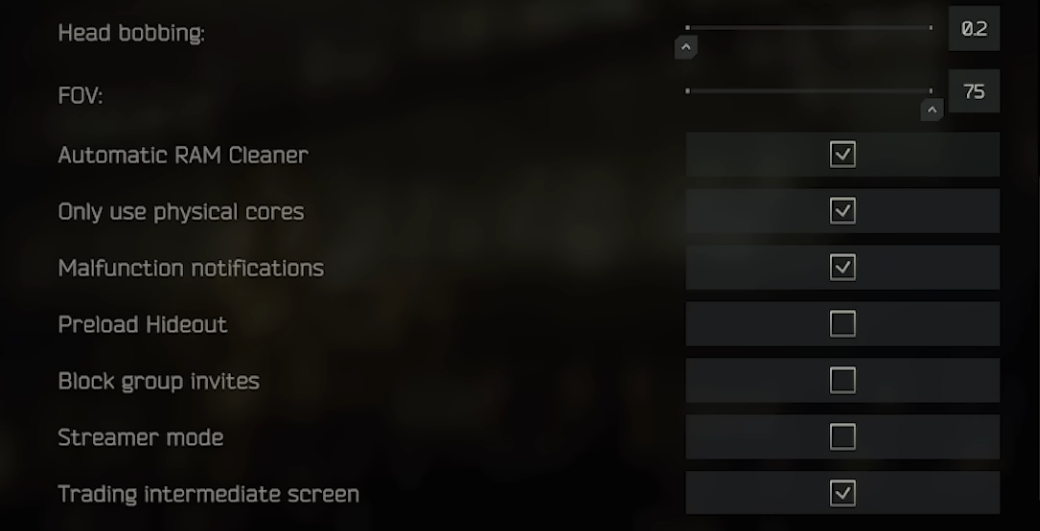
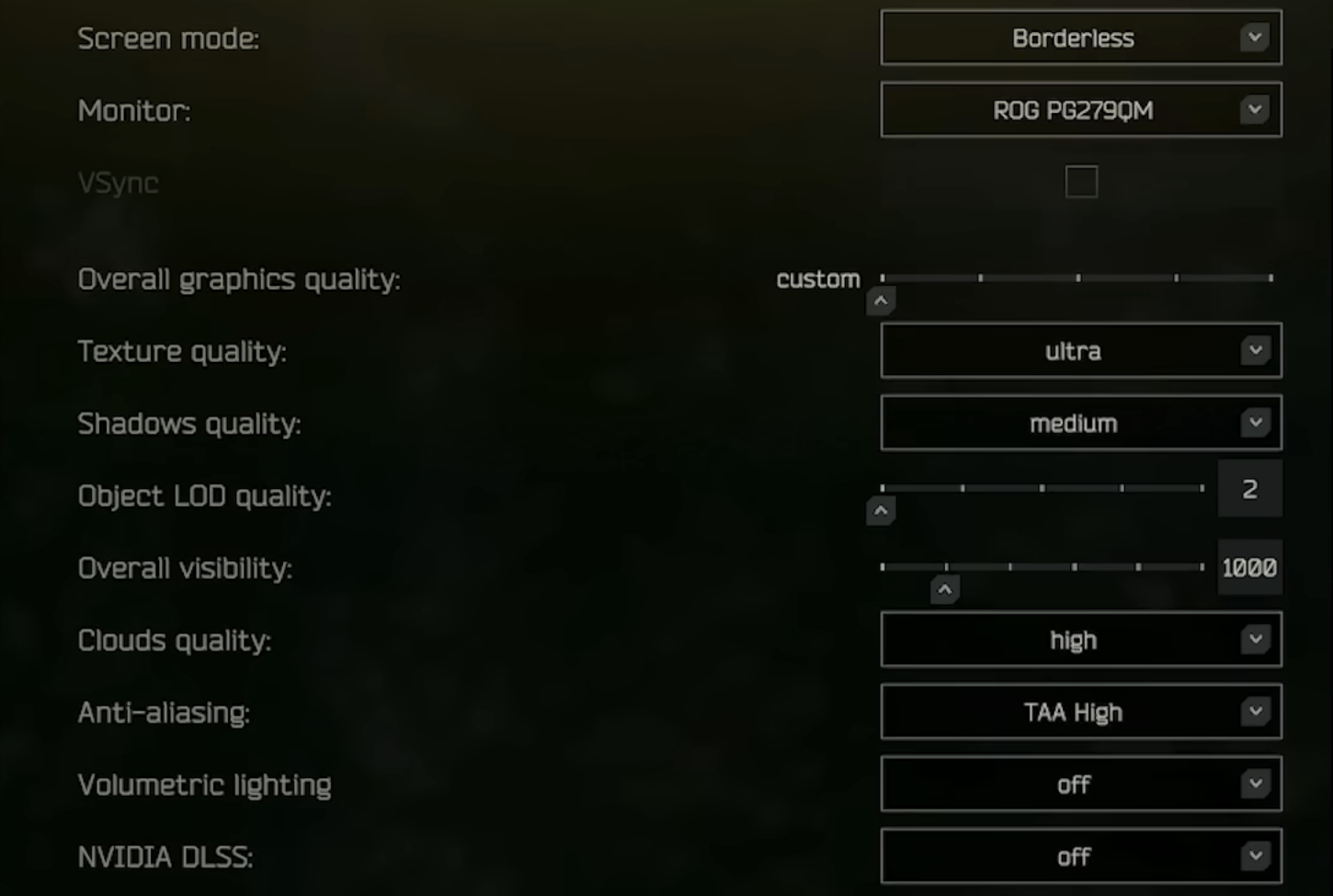
These settings aim for competitive clarity + smoother FPS. Tarkov is often CPU-bound, so don’t expect “all low” to magically fix stutters—use these as a stable baseline.
Recommended baseline (FPS-focused)
- Texture Quality: High or Ultra (if VRAM allows)
- Shadows: Low to medium
- LOD: 2–2.5
- Visibility: 1000–1500
- Clouds: High
- Anti-Aliasing: TAA High
- DLSS: Off (unless 4K / GPU-limited)
- Anisotropic filtering: Off
- NVIDIA Reflex Low Latency: On
- High-Quality Color: Off
- Noise: Off
- Grass Shadows: Off
- Streets of Tarkov Lower Texture Mode: Off
Settings Screenshot
Add a Tarkov graphics/settings menu screenshot for “how-to” visual SEO value.
Need better performance?
Checkout our PC tuning page for FPS + stability improvements.
Streets of Tarkov FPS Fixes (The Map That Breaks PCs)
Streets is the #1 reason people reach out for optimization. If Streets feels unplayable, your system is usually: RAM-limited, CPU-limited, or running unstable memory settings.
Must-do performance fixes
- MUST have32GB RAM (practical minimum for smooth Streets)
- Verify XMP/EXPO stability (unstable RAM = stutters/crashes)
- Make sure Tarkov is installed on a fast NVMe SSD
- Update chipset/GPU drivers + (if needed) motherboard BIOS
- Remove GeForce Experience - known to throttle FPS
- Disable any Discord OVerlays - known to bottleneck FPS
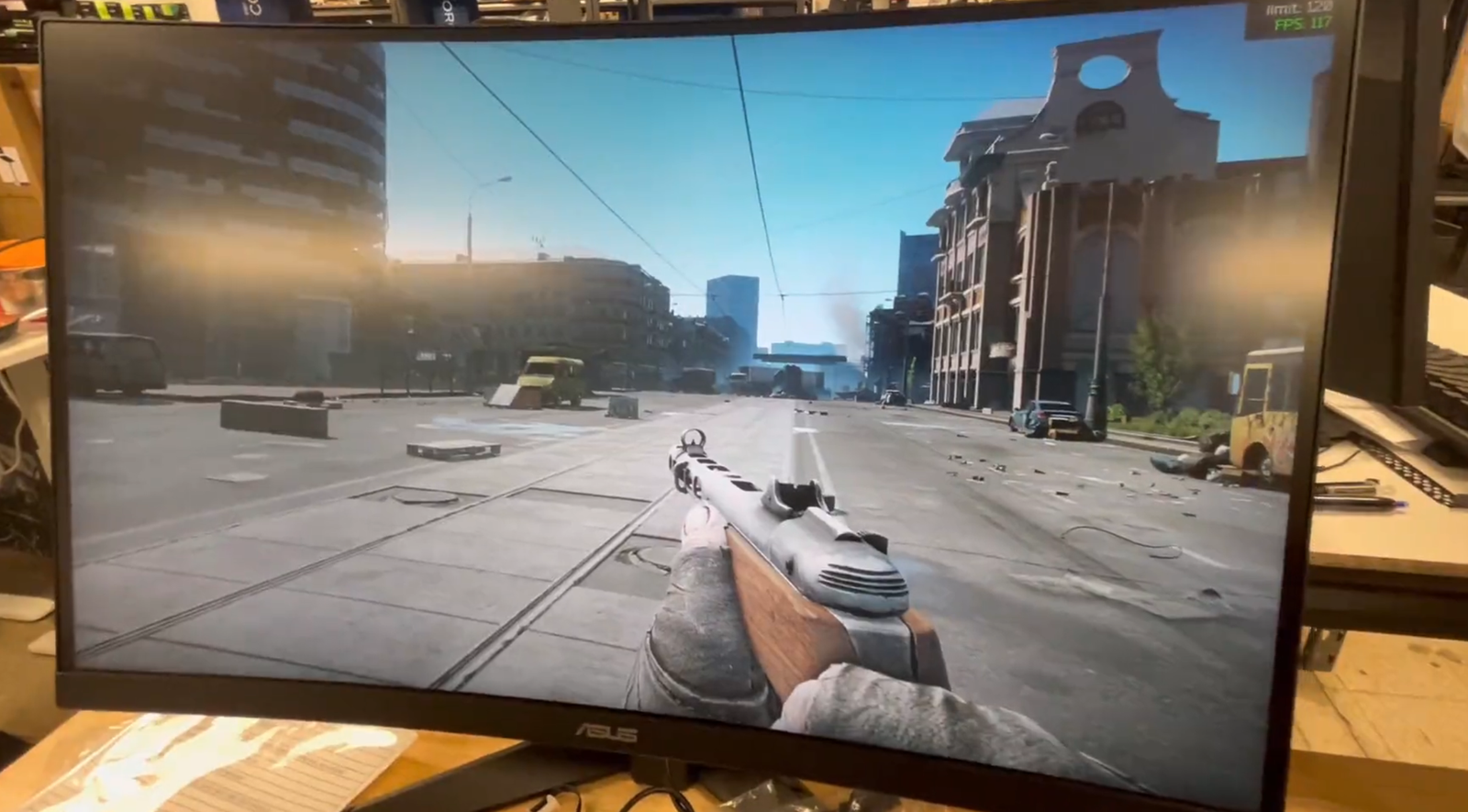
Streets Budget Build FPS
Example of our Challenger system on Streets on 1440p!
Best StinceBuilt PCs for Tarkov (Plug-and-Play Performance)
Want to skip the guessing? These are your direct options for Tarkov performance—whether you’re on a budget, streaming, or want a top-tier creation + FPS machine.
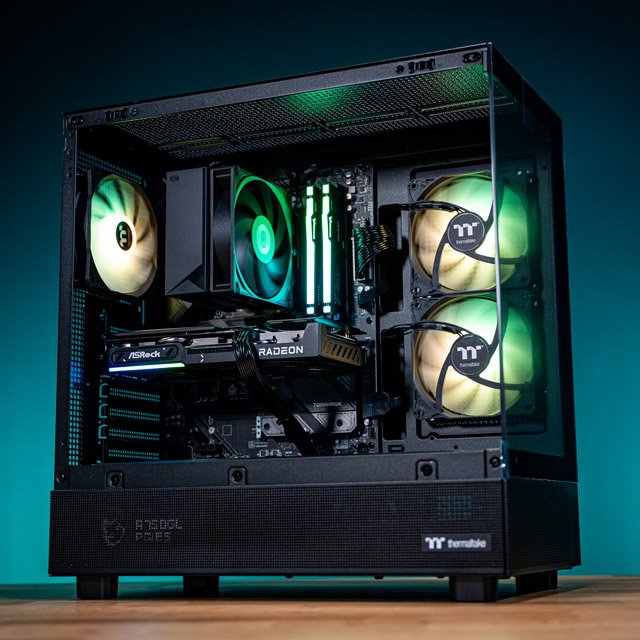
1080p / 1440p Budget — Challenger
Best ValueStrong FPS-per-dollar for Tarkov while keeping the build clean, stable, and upgrade-ready.
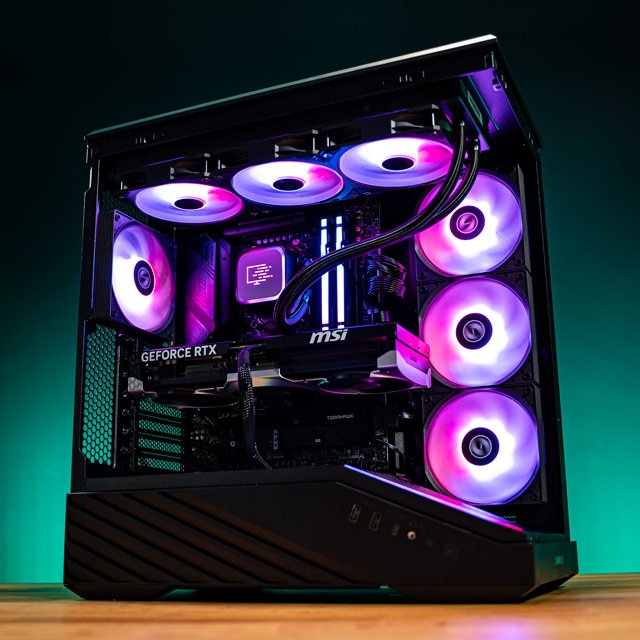
Best Bang/Buck - Our Tarkov Creator PC
Creator-ReadyThe sweet spot for Tarkov + streaming: stable performance, smooth capture, and better multitasking.
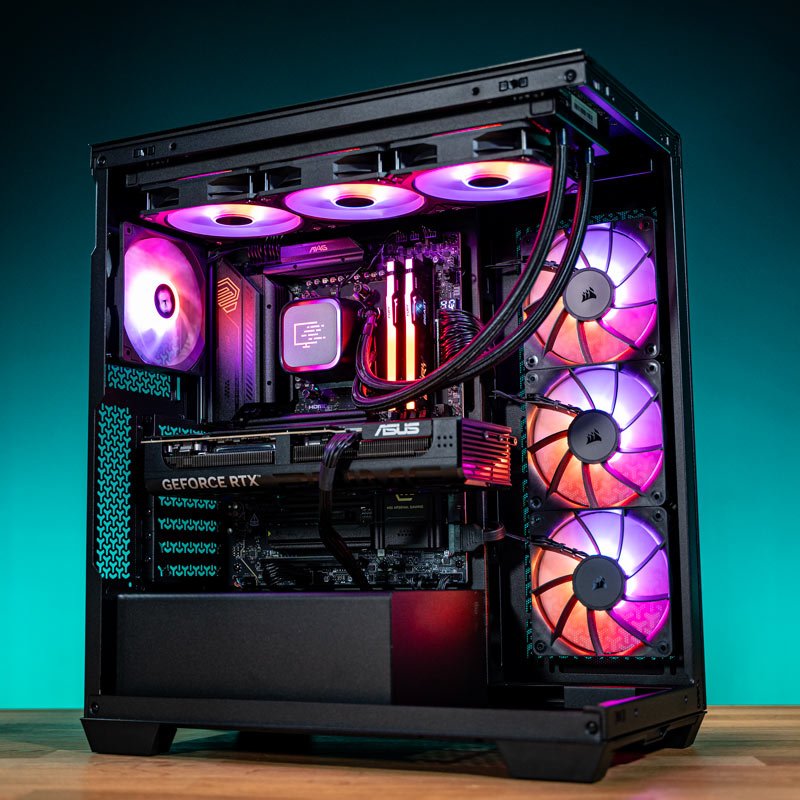
Ultimate PC for Creation & FPS — AMDominance
Top TierMaximum headroom for content creation and high-FPS Tarkov. Built for smoothness under pressure.
Not sure which build is right?
We’ll recommend the best Tarkov build for your resolution, budget, and goals.
Need Better Performance? Tuning, Financing, and Trade-In Options
Whether you need a serious FPS boost on your current rig, want monthly payments, or want to trade in your old PC, we’ve got options designed for gamers.
PC Tuning / Optimization
Get smoother frametimes, better 1% lows, and a system tuned specifically for gaming performance.
PC Financing
Build now, pay over time. Financing can make it easier to jump into a Tarkov-ready system.
PC Trade-In
Upgrade faster by trading in eligible hardware. Put value from your current rig toward your next build.
Want us to diagnose your Tarkov FPS issues?
Book a build consultation and we’ll point you to the best upgrade or optimization path.
Escape from Tarkov FPS FAQ
Quick answers to the most common Tarkov performance questions we hear from players.
Why do I get good FPS sometimes, then huge drops in fights?
Is 32GB RAM really necessary for Tarkov?
My GPU is strong, why is usage low in Tarkov?
I don’t know what to buy — what’s the fastest way to choose?
Ready to stop fighting your FPS?
Build it right, tune it right, and make Tarkov feel smooth—especially on Streets.