

Tarkov Game Settings
Tarkov Enjoyers are always on the hunt for an advantage, whether it’s boosting FPS or improving visuals to spot the bad guys first. Here are some top settings to help you get closer to both goals. Just remember, your hardware might still set some limits.
Game Tab
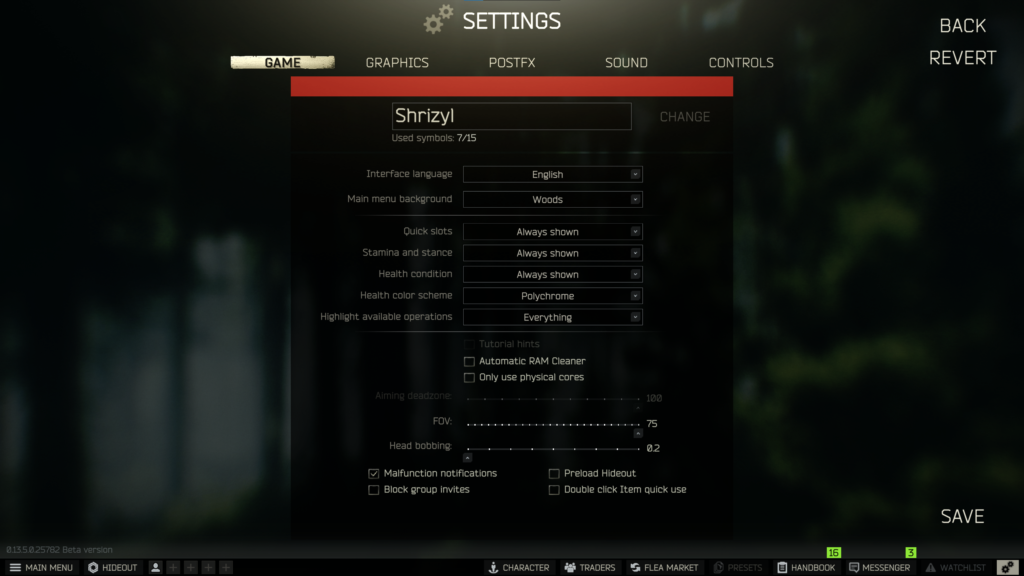
Most settings are a matter of personal preference. Enabling the Ram Cleaner between raids can mitigate memory leaks. For CPU optimization, consider using Process Lasso. As for FOV and head bobbing, those choices are also subjective.
Graphics Settings
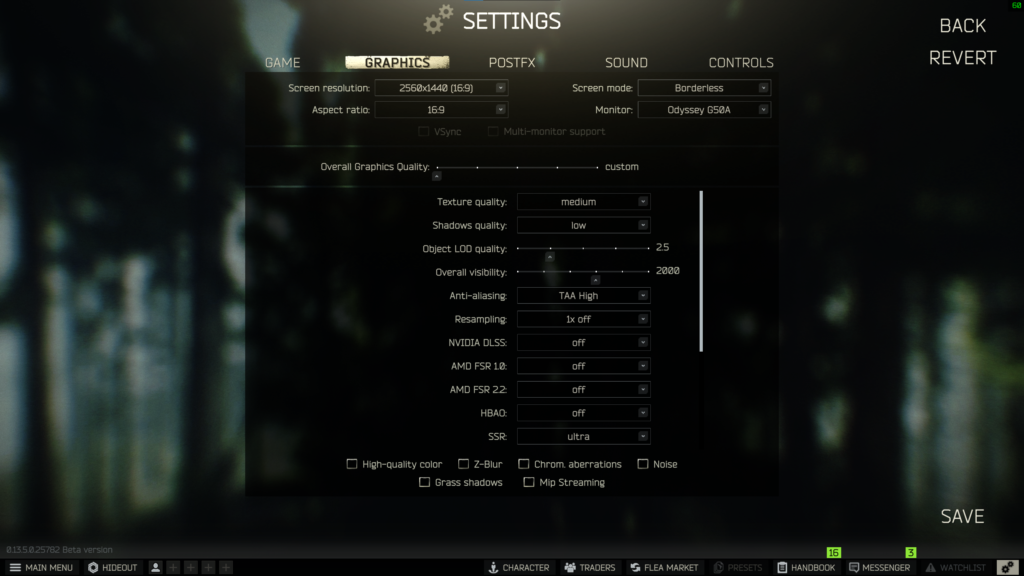
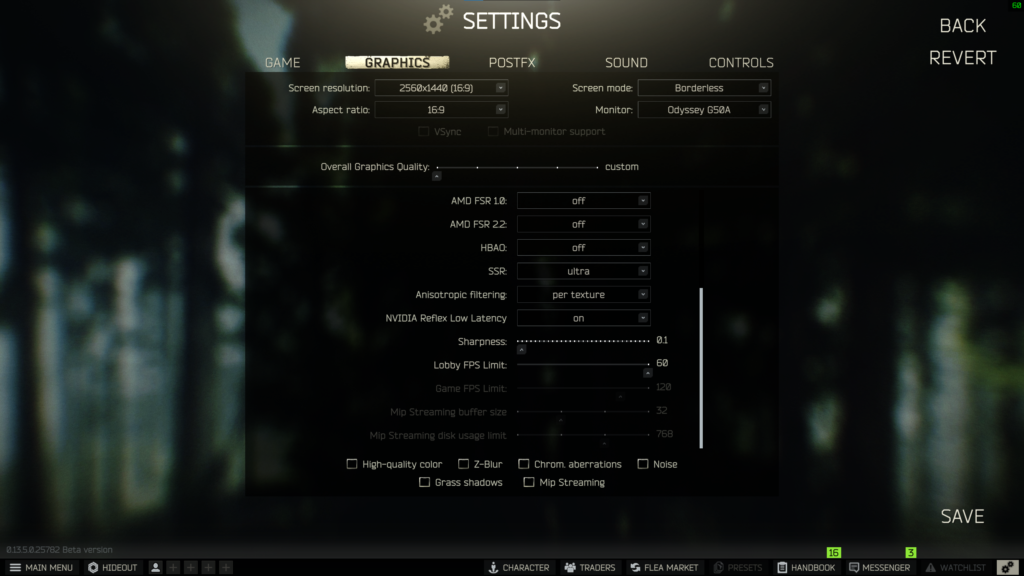
I conducted offline raids to assess how various settings impact game performance. Keep in mind that online raid FPS will likely be lower due to Scavs and other players. Tweaking settings will help you optimize performance. Here are some specific recommendations:
- LOD Quality: Set the distance to 2.5/2000. There’s no noticeable difference below this threshold, but LOD 3 and above may reduce FPS slightly.
- Visibility: While it doesn’t significantly impact FPS, avoid cranking it up in most maps.
- FSR 2.2 Quality and DLSS Quality: If struggling with GPU performance, use either of these features. They can significantly boost FPS. The recent fix for scope blur is also beneficial.
- HBAO: Turn it off for better performance.
- SSR: If you have a lower-end GPU or want more frames, keep it off. Low or medium settings consume fewer resources, but ultra isn’t far from low. For powerful GPUs, consider using Ultra settings.
Post FX
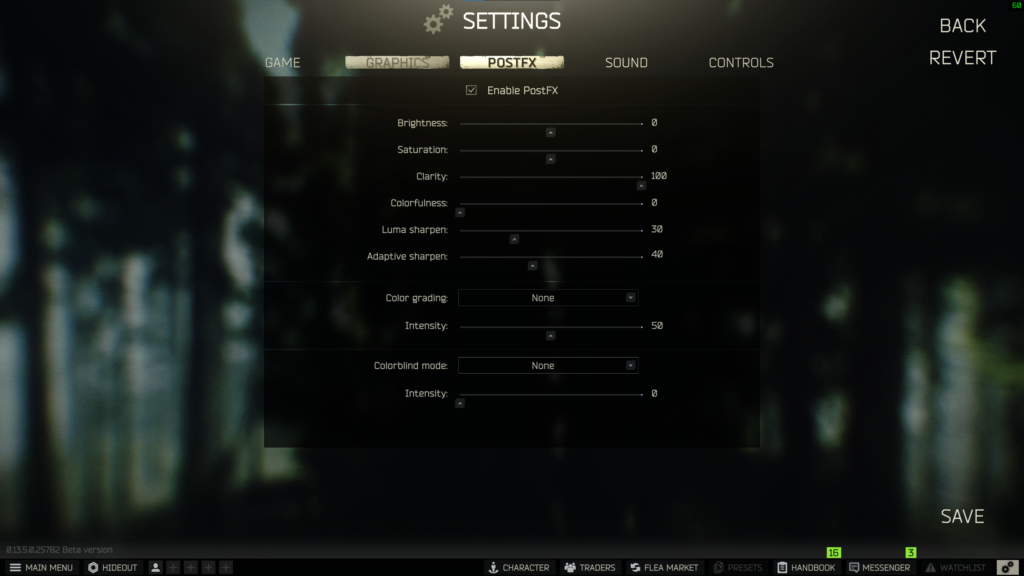
I primarily utilize it for enhancing clarity and sharpening. It effectively reduces haze in certain maps, especially at a distance. This is the most subjective group of settings, so experiment in an offline raid to fine tune to your liking and your playstyle.
If you’ve implemented all these settings and still haven’t achieved your desired goals, consider exploring our optimization services. HERE